





Become the keyholder.
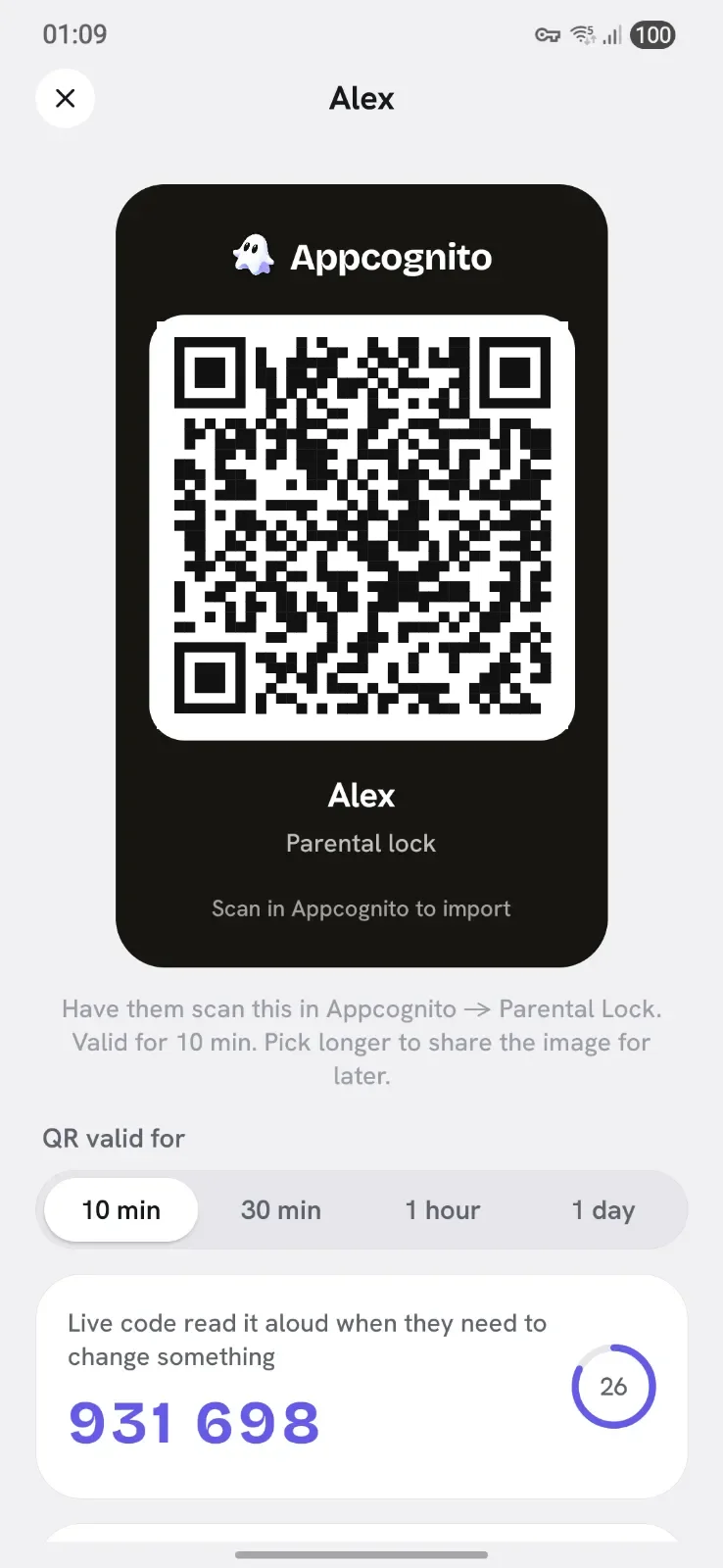
On your phone, create a lock with a name and a master password. Appcognito hands you a rotating 6-digit code, just like an authenticator app, plus a QR code to share.

Giveaway Win 1 month of Appcognito Pro, free. Free entry, one per person. Enter now
Lock adult content and the apps you choose behind a code only you hold. No account, no servers, and not a shred of spying. Two phones, one QR scan, and you are set.
No account, and no cloud pairing. The only thing that ever travels between the two phones is a QR code.

On your phone, create a lock with a name and a master password. Appcognito hands you a rotating 6-digit code, just like an authenticator app, plus a QR code to share.
On the phone you want to protect, your child's, a partner's, or your own, scan that QR. The two phones are now paired. Nothing is uploaded anywhere, the QR is the only thing that passes between them.
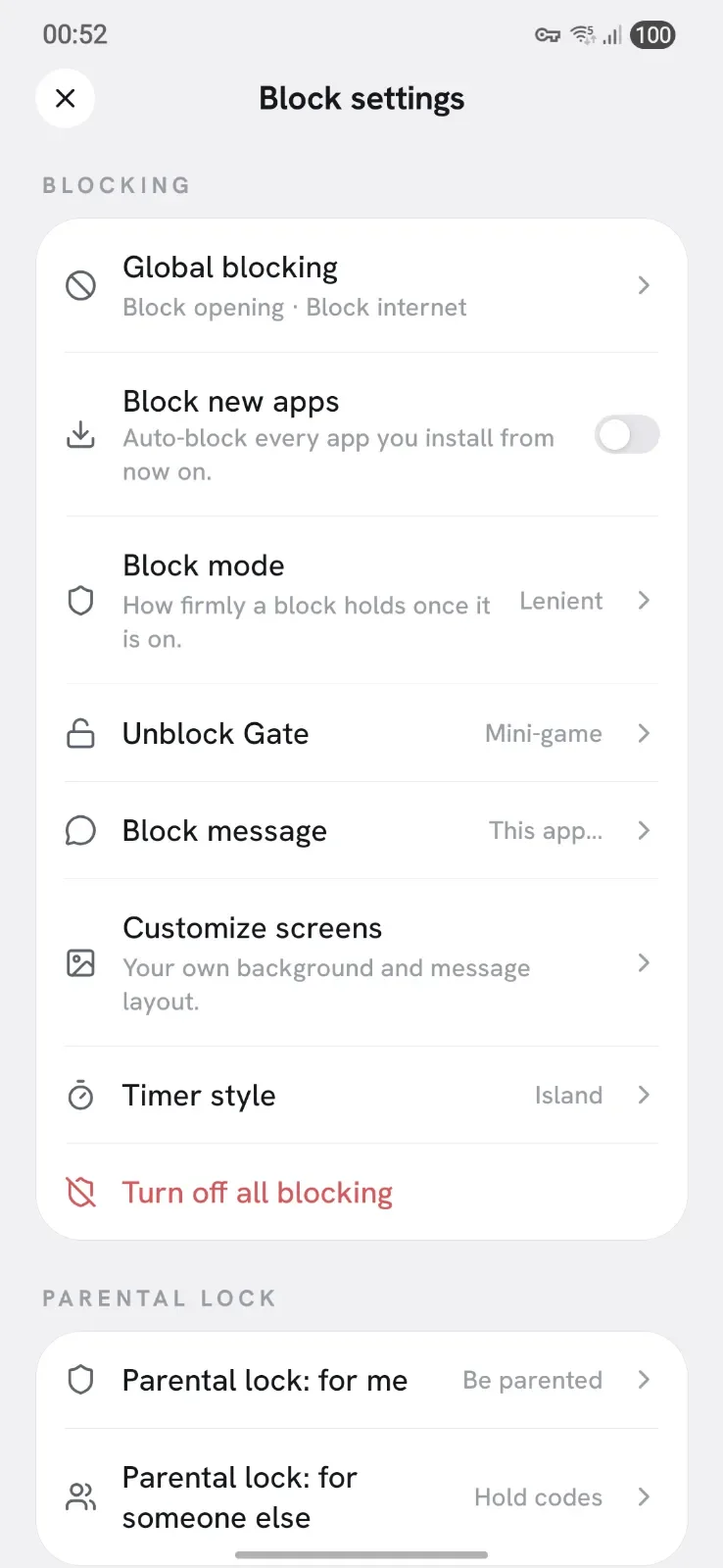

Choose what to lock: adult content, certain apps, sites, or a whole schedule. From now on, changing or switching it off needs your 6-digit code, and removing the lock needs your master password, in person.
Parental lock


Whoever holds the key decides when a block comes off. Not a weak moment at midnight.
It is really an accountability lock, so the keyholder can be anyone. The setup is identical whether it is:
One for the everyday, one for the rare nuclear option. You decide which is needed for what.
For everyday changes. Read it out, even over the phone, to allow a quick edit or pause. It expires in seconds, so sharing it once gives nothing lasting away.
For the rare moment you want to remove a lock for good. It is typed in person, never read out, so the big decisions always stay with you.
Most "parental control" apps are really monitoring tools that track location, read messages and stream you an activity feed. Appcognito does none of that. It blocks what you decide and keeps everything on the device. Here is what it never does:
Experts agree controls work best as guardrails paired with an open conversation, not spying. Appcognito gives you the guardrails and leaves the trust to you.
Short, practical guides for getting parental controls right on Android.
The full Family Link setup: screen time, app limits, Play Store content and more.
Read the guide GuideWhy SafeSearch is not enough, and how to block it across every browser and app.
Read the guide GuideParental PIN, account restrictions, content maturity, chat and spending limits.
Read the guideThree steps. On your phone, create a lock to become the keyholder, which gives you a rotating 6-digit code and a QR. On the child's phone, scan that QR to pair the two. Then choose what to lock. After that, only your code can change it.
No. Appcognito has no account and no backend. Everything runs on-device, and the only thing that ever passes between the two phones is the QR code you scan to link them.
No. Changing or disabling anything locked needs your rotating 6-digit code, and removing a lock entirely needs your master password, typed in person. With Pro you can also turn on reboot-proof uninstall protection so the app cannot be deleted to escape it.
That is what the 6-digit code is for. You can read it out over the phone for an everyday change, and it expires in seconds so sharing it once gives nothing lasting away. Only removing a lock for good needs you there in person.
Never. Appcognito is a blocker, not a monitor. It blocks and locks the content you choose and does not track location, read messages, or send any activity feed to you or to us.
Yes. It works just as well as a self-control lock: be your own keyholder, or hand the code to a partner or friend, so you cannot quietly undo your own blocks in a weak moment.
Free forever. Pro is $1.99 a month, $14 a year, or $39 once₹99 a month, ₹699 a year, or ₹2,499 once.
Swap wins, ask for help on a hard night, and tell us what to build next.
Be first to know when Appcognito hits Google Play. No spam, no account, ever.
You are on the list. We will email you the moment Appcognito lands on Google Play. No spam, ever.